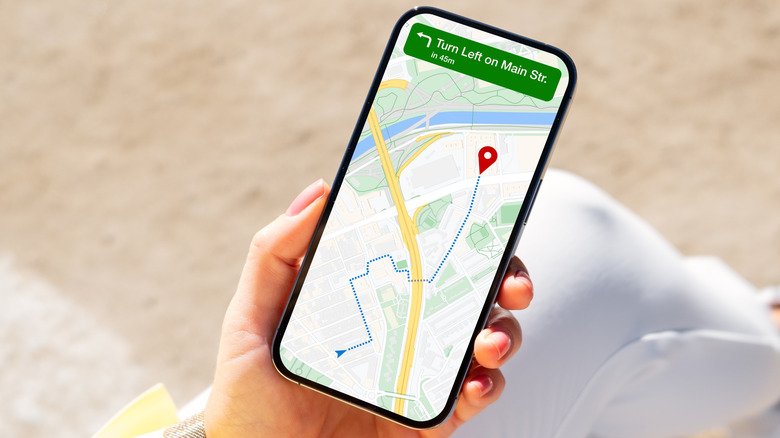
End Navigation is one of those website design ideas that sounds simple at first, but it can quietly change how people use your site. In basic words, it means the navigation options users see near the end of a page, article, product listing, landing page, or app screen. Instead of leaving visitors stuck after they finish reading, it gives them a clear next step.
Think of it like a helpful shop assistant. A customer has looked around, understood the product, and now they need direction. Should they buy, read more, contact you, compare services, or go back to the main category? End Navigation answers that question without making the user search again.
Good navigation is a core part of user experience because it helps people move through a website or app efficiently and intuitively. The Interaction Design Foundation describes navigation as the system that allows users to move through a digital interface with ease, which directly affects satisfaction and engagement.
What Is End Navigation?
End Navigation refers to links, buttons, menus, or content suggestions placed near the bottom or final section of a page. It may appear as a footer menu, “next article” button, related posts section, call-to-action area, breadcrumb-style return link, or product recommendation block. Its purpose is simple: keep the user moving in a useful direction.
On a blog, End Navigation may show related articles, popular guides, or a newsletter signup. On an eCommerce site, it may suggest similar products, recently viewed items, size guides, or customer support links. On a service business website, it may include “Book a Consultation,” “View Services,” “Call Now,” or “Get a Free Quote.”
Many people confuse End Navigation with only the website footer. A footer is part of it, but End Navigation is broader. Nielsen Norman Group explains that footers sit at the bottom of almost every page and can take different forms depending on the website’s content and goals.
Why End Navigation Matters for User Experience
Users rarely move through a website in a perfectly straight line. They scan, compare, read, pause, and decide. When they reach the end of a page, they are often at a decision point. End Navigation helps by removing confusion and giving them a natural next action.
Without End Navigation, visitors may finish reading and leave because nothing tells them what to do next. That is especially harmful on pages created for leads, sales, learning, or signups. A visitor who is ready to act should not have to scroll back to the top just to find the main menu again.
Website navigation is not only about the top menu. UX experts commonly treat navigation as a full system that includes headers, footers, breadcrumbs, page titles, links, and mobile patterns. A strong navigation system helps users find content, answer questions, and complete tasks more easily.
Common Types of End Navigation
The first common type is footer navigation. This usually includes important links such as About, Contact, Services, Privacy Policy, Terms, Careers, and Support. A well-structured footer gives users a second chance to find important pages after they reach the bottom.
The second type is contextual navigation. This includes related articles, recommended products, next lessons, previous/next buttons, and category links. It works well because it connects the current page with something the user is likely to need next.
The third type is conversion-focused End Navigation. This includes buttons such as “Get Started,” “Request a Quote,” “Book a Demo,” “Download Guide,” or “Call Now.” Nielsen Norman Group also notes that utility navigation includes secondary actions like contact, subscribe, sign in, share, save, and print, which can strongly affect engagement and satisfaction.
How End Navigation Helps SEO
End Navigation can support SEO because it improves how pages connect with each other. Search engines use internal links to understand site structure, page relationships, and content hierarchy. When your end-of-page links are clear and relevant, they can help users and search engines discover deeper pages.
For example, a roofing service page can link to emergency roof repair, roof inspection, gutter repair, and service-area pages at the bottom. A blog post about corporate cards can link to expense management, business budgeting, and employee spending control guides. This creates a cleaner content path.
Navigation also affects user behavior. When people find what they need faster, they are more likely to stay, click, read, and convert. Flux Academy notes that website navigation contributes to SEO because search engines rely on navigation to understand page context and relationships.
Best Practices for Creating Strong End Navigation
Keep your End Navigation simple. Do not throw every possible link at the user. Too many options create decision fatigue. A better approach is to choose the next three to six actions that truly make sense for the page.
Use clear labels. “Explore Services” is better than “Learn More” when the destination is a service page. “Read Next: Website Navigation Best Practices” is better than a vague “Next Post.” Clear labels help users trust the click before they make it.
Make the design visible but not noisy. Your End Navigation should feel like a helpful guide, not a loud advertisement. Use enough spacing, readable text, strong contrast, and mobile-friendly buttons. Modern navigation advice often highlights clarity, hierarchy, whitespace, and predictable placement as key usability factors.
End Navigation for Different Website Types
For blogs, End Navigation should keep readers inside the content journey. Add related posts, category links, author pages, popular guides, and newsletter signup options. The goal is to turn one article visit into a longer reading session.
For business websites, End Navigation should push toward action. A service page should end with trust signals, contact details, location links, FAQs, and a clear call-to-action. If someone reaches the bottom, they may already be interested, so make the next move obvious.
For online stores, End Navigation should reduce buying hesitation. Add related products, return policy links, shipping details, reviews, FAQs, and support options. These links work because they answer doubts exactly when the buyer is close to deciding.
Mistakes to Avoid in End Navigation
One common mistake is using a generic footer with no strategy. Many websites add links only because every website has a footer. That approach wastes valuable space. End Navigation should be planned around user intent, not copied from a random template.
Another mistake is using too many calls to action. If one section says “Buy Now,” “Contact Us,” “Download,” “Subscribe,” “Read More,” and “Follow Us,” the user may do none of them. A strong page usually needs one primary action and a few supporting links.
The third mistake is ignoring mobile users. On mobile, the bottom of a page matters even more because users scroll naturally. Buttons should be easy to tap, text should be readable, and link groups should not feel cramped. If the End Navigation is hard to use on a phone, it is not doing its job.
How to Plan End Navigation Like an Expert
Start by asking one simple question: what should the user do after finishing this page? The answer will change from page to page. A blog reader may need another article. A buyer may need product support. A local service visitor may need a phone number or booking form.
Next, match the navigation to the user’s stage. If the page is educational, offer more learning links. If the page is commercial, offer trust-building and conversion links. If the page is technical, offer documentation, support, or related tools.
Finally, test and improve. Look at clicks, scroll depth, conversions, and user behavior. If nobody clicks a footer link, it may be unclear or irrelevant. If one end-of-page button gets strong results, make it more prominent across similar pages.
Conclusion
End Navigation is more than a footer or a few random links at the bottom of a website. It is a smart user experience tool that guides visitors when they are ready for the next step. Done well, it improves flow, reduces confusion, and supports better engagement.
It also helps your website feel more professional. Users should never reach the end of a page and wonder what to do next. Whether they want to read more, contact you, buy something, or explore another service, the path should feel natural.
Also Read: Topics MyWirelessCoupons